
Manage your customers
Add walk-in customers, edit contact, business and address details, track loyalty and license status, merge duplicates, and handle data requests.
Your customer records live under Customers. The list shows each customer’s rentals, lifetime spend (calculated live, net of refunds) and license status. Search by name, or filter by All, VIP or Flagged.
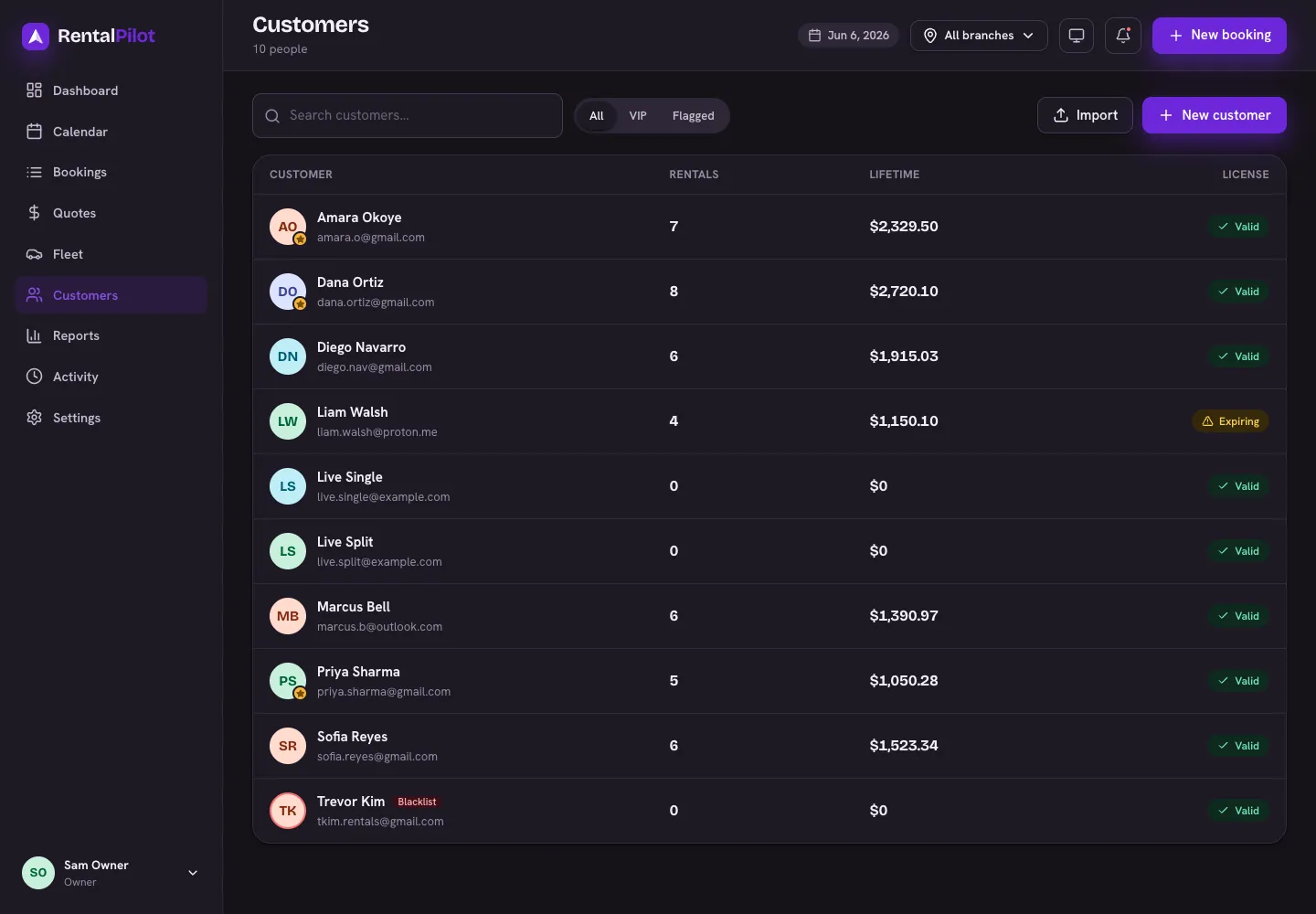
Add a customer
Choose New customer (handy for walk-ins and phone bookings). A name and email are required; phone and license details are optional. Emails are unique per account — if one already exists, you’ll be told. You can fill in the rest from their profile afterwards.
The customer profile
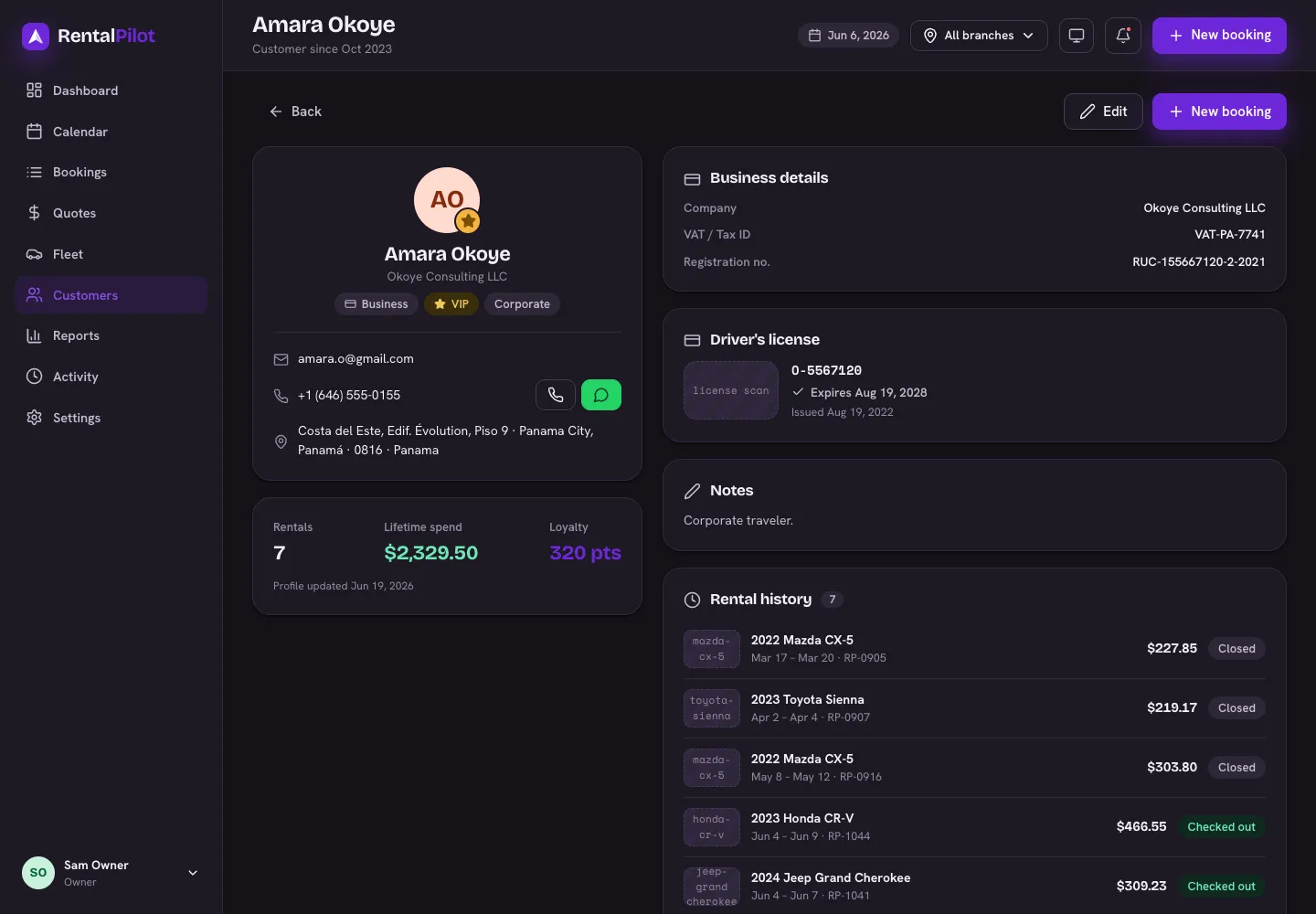
Open any customer to see their contact details, lifetime stats, loyalty points, license status and full rental history (each rental links to its booking).
Message history
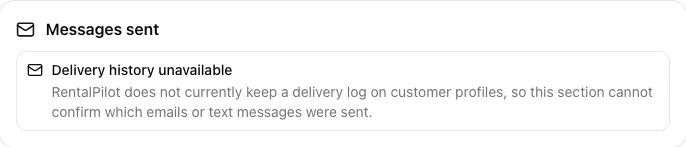
The Messages sent section does not currently have a delivery log. Delivery history unavailable means RentalPilot cannot confirm from the customer profile which emails or text messages were sent; it does not mean that no messages were sent. Check your email or messaging provider when you need delivery evidence.
Edit a customer
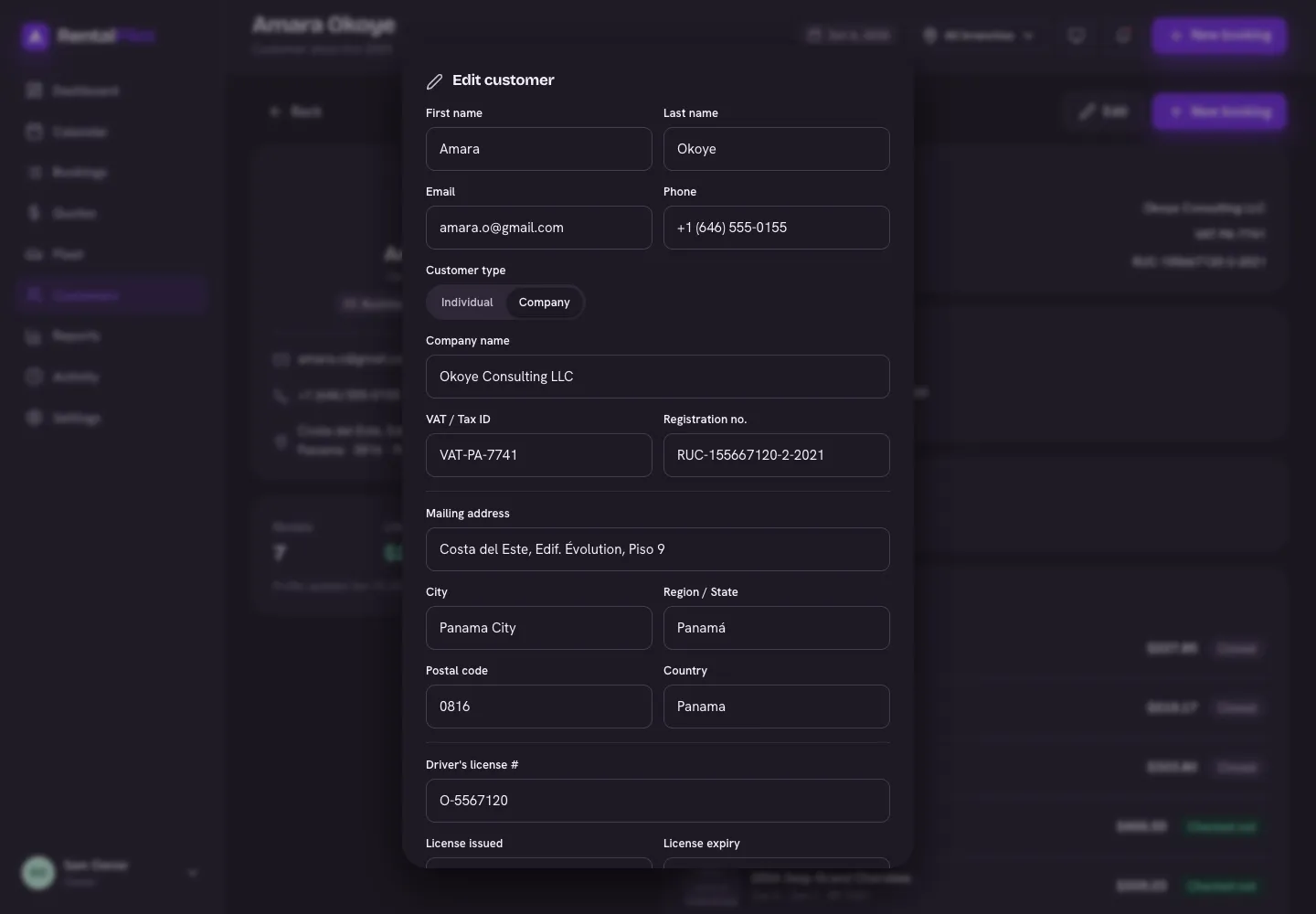
Choose Edit to update:
- Contact — name, email, phone
- Type — individual or company (with company name, VAT / tax ID and registration number)
- Mailing address — used on invoices
- Driver’s license — number, issued and expiry dates
- Loyalty points and free-form tags (e.g. “Corporate”, “Frequent”)
- Flags — mark a VIP, or Do not rent to flag a customer at the counter
- Notes
Merge duplicates
If the same person was entered twice (e.g. via import), a Merge duplicates button appears so you can combine them into one record with the full history.
The surviving record keeps its existing date for consent to receive marketing offers. If it has no consent date, it keeps the earliest recorded opt-in from merged records with the same email address (ignoring case and surrounding spaces). Consent tied to a different email address does not carry over, and merging does not create a new opt-in.
Data requests (export & erase)
The Data & privacy section on a profile lets you export everything on file for a customer, or erase their personal data (anonymises the record and deletes license images, signatures and photos; bookings and payments are kept but de-identified). Erase can’t be undone.
When setup sources need review
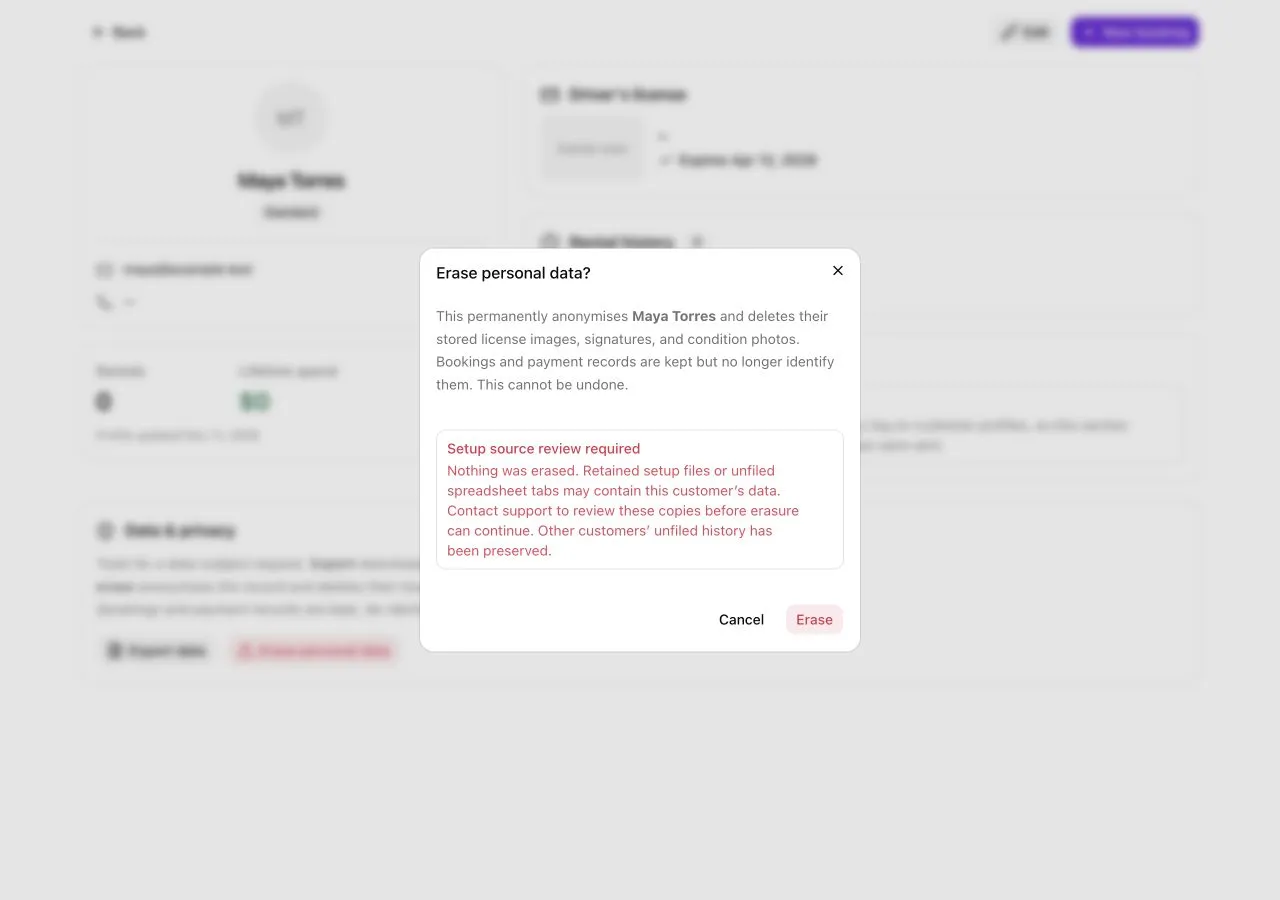
If Setup source review required appears, the erasure request has stopped without changing the customer or deleting files. Retained setup tabs and file-reading jobs can contain personal data that is not reliably linked to a single customer. RentalPilot preserves these copies so another customer’s unfiled history is not discarded. Contact support to arrange a source review; do not treat this message as completed erasure. Even an expired reading job can require review while its stored copies await cleanup.
The profile export contains the customer record and linked booking data; it does not automatically include personal information inside retained setup sources. Mention those sources when arranging a data-access request with support.
Need a hand? Contact us.