
Review your existing account with the optional guide
Review saved business details and return to your usual tools without recreating records.
Open Account → Optional guidance and choose Start optional guide. An existing guide offers Resume optional guide. Availability depends on your account; your usual admin tools remain available when this optional entry is absent.
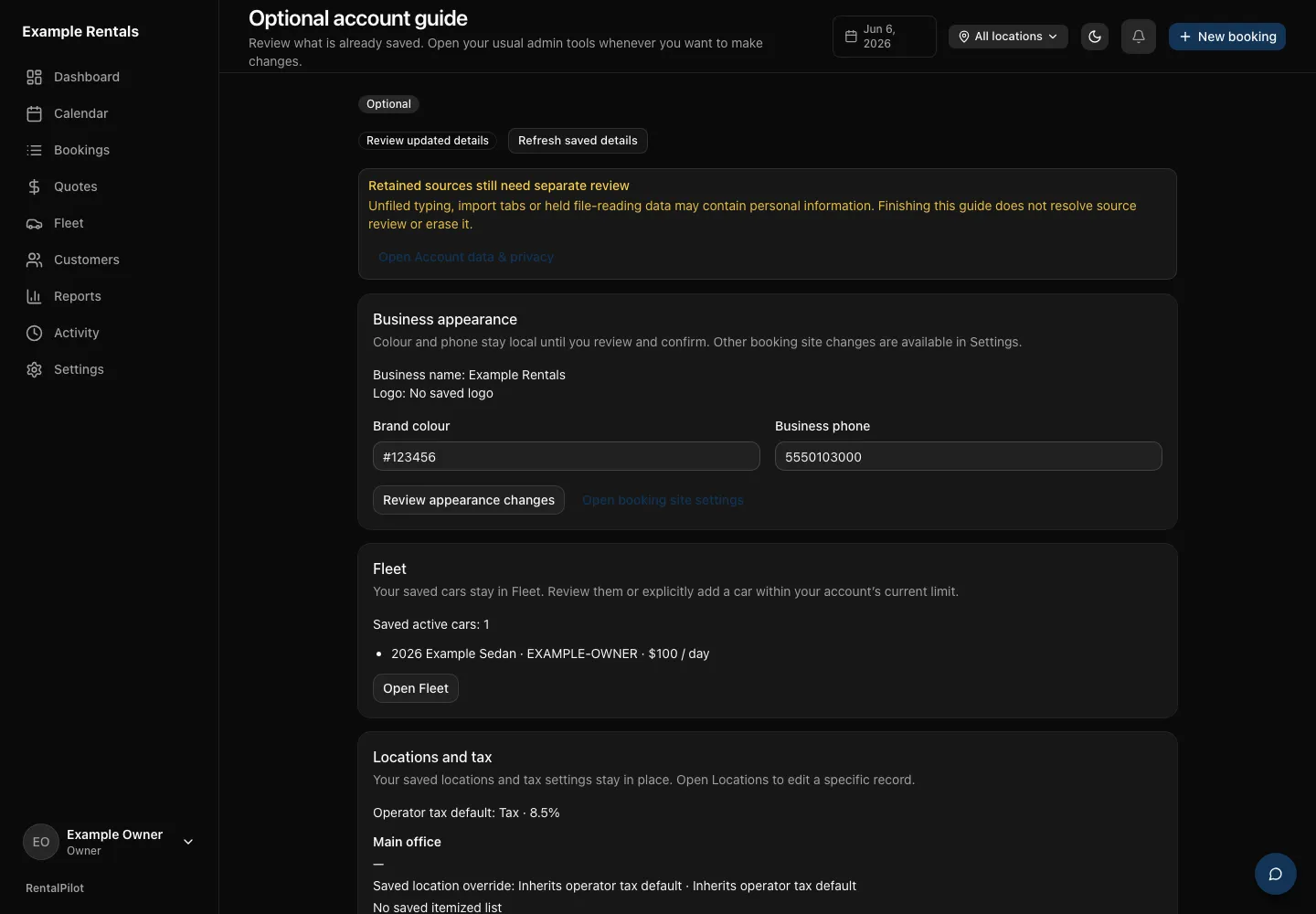
Review what is already saved
The guide shows your saved business appearance, active cars, locations, tax settings and reservation defaults. Existing customers, bookings and history stay in their ordinary tools. Opening the guide does not import them or submit them to AI.
Colour and phone changes stay local until you choose Review appearance changes, check the proposal and select Confirm these changes. You can keep or clear the current logo. Use Discard local appearance changes to return to the saved summary.
Choose Open Fleet, Open Locations or Open Reservations to use the normal editors. Changes use those tools’ usual save and processing steps. The guide’s Return to optional guide link brings you back to refreshed saved details. Additional customers, bookings and imports are optional; their existing access checks and explicit review steps still apply. Assisted features never start merely because the guide opens.
Finish, leave or stop
Read the saved summary, select I have reviewed the saved business summary shown here, then choose Finish guide. Guide reviewed records that acknowledgement. Changed details show Review updated details. This review does not certify legal or operational readiness or change your plan or publication state.
Leaving the page keeps the guide resumable. Stop this guide asks for confirmation, then abandons that workspace while keeping your settings, records and retained sources. Stopping is separate from finishing a review.
Kept typing and source review
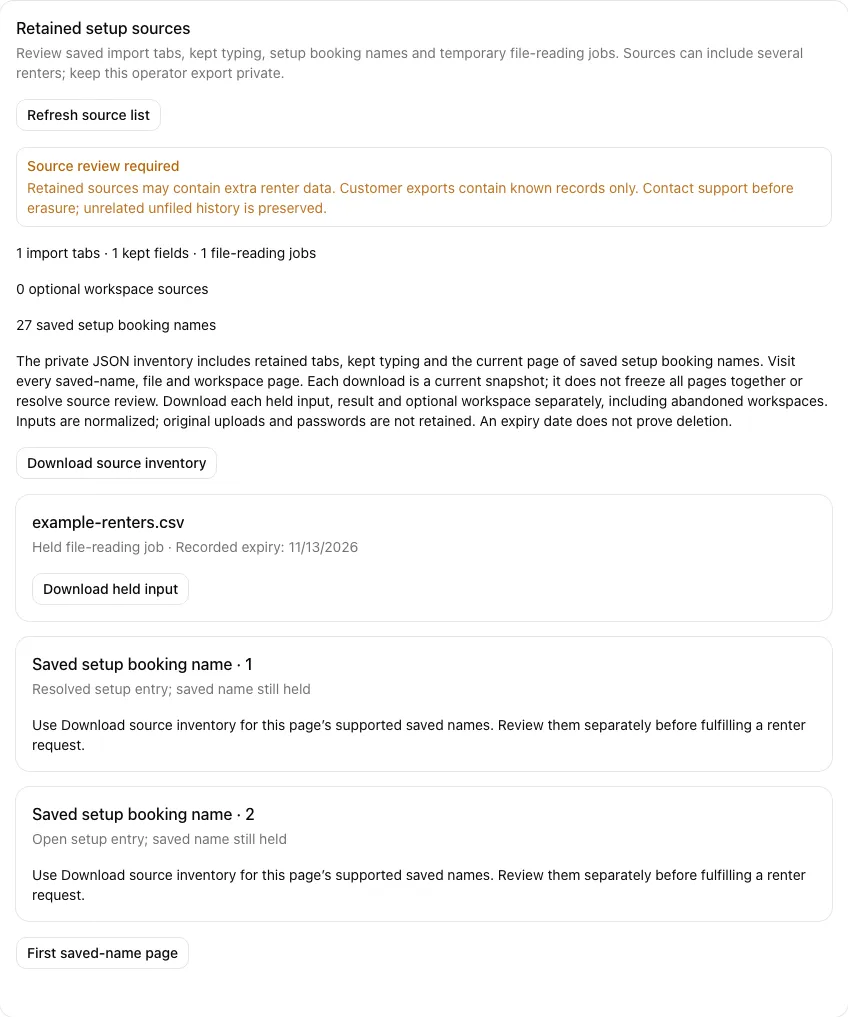
If Kept optional typing appears, choose Read kept typing to review all current values. Acknowledge all held values preserves the typing against current records; it does not apply those values as settings. Unsupported sources need support review through Account → Data & privacy.
An outstanding retained-source warning remains separate from Guide reviewed. Finishing, stopping or exporting does not resolve source review or erase personal information. Follow retained-source review and customer requests before fulfilling an access or erasure request.
The warning also includes names still saved on setup booking entries, even after conversion or resolution. Open Account → Data & privacy → Retained setup sources for their private inventory and saved-name pages; reviewing the guide does not associate these names with a particular customer.
For the ordinary tools, see vehicles, locations, customers and creating a booking.