
Promo codes & discounts
Create discount codes customers enter at checkout — percentage or fixed amount, with an optional expiry date and usage limit.
Promo codes let you run a promotion without touching your rates: the customer types a code at checkout and the discount comes off automatically. Codes live in Settings → Promotions.
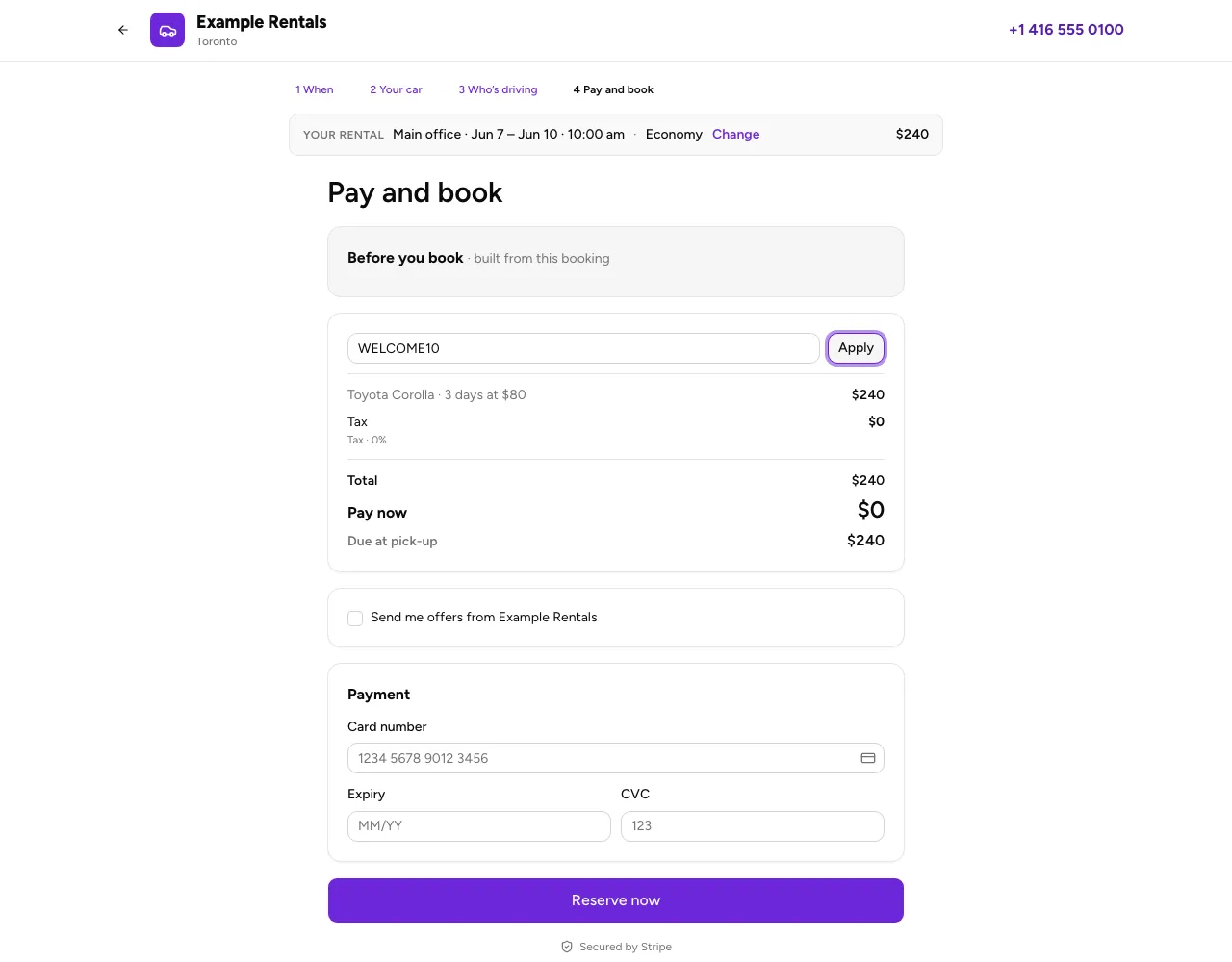
When customers see the code field
Checkout shows Promo code only while your business has at least one active, unexpired code with uses remaining. With no usable codes, the field is hidden. Your codes are never listed for customers: share a code with the people you want to use it.
An applied code stays visible, with Remove, even if the last available code becomes unavailable while that checkout is open. Applying a code does not reserve a use: it is checked again when the booking is created.
Create a code
Choose Add code and fill in:
- Code — what the customer types (e.g.
SUMMER10). It’s stored in capitals and must be unique in your account. - Type — % off or a fixed $ amount off.
- Value — the percentage (up to 100) or the amount.
- Expiry date — the last day the code works, inclusive. Leave it blank for no expiry.
- Usage limit — the maximum number of bookings that can use it. Leave it blank for unlimited.
How the discount is applied
The discount comes off the pre-tax subtotal, and tax is then recalculated on the reduced amount. It applies to the rental itself — protection plans are charged separately and aren’t discounted.
Keeping track
Each code’s row shows how many times it’s been used (3/100 used), when it expires, and a badge when it’s no longer usable:
- Expired — past its expiry date.
- Limit reached — it’s hit its usage limit.
A code that’s expired or used up is rejected at checkout with a clear reason, and the customer pays full price rather than being quietly charged a different total than they were quoted.
Codes are checked again when the booking is actually created, not just when the customer types them — so a code that expires or fills up between the two stops the booking rather than silently charging full price above the quoted total.
The one gap: if two people claim the last redemption at the same instant, both can get it, so a capped code can finish a redemption or two over its limit. Set the cap with a little headroom if the exact number matters.
Editing and removing
Choose a code to edit its value, expiry or limit, or remove it entirely. Removing a code doesn’t affect bookings that already used it — the discount stays recorded on those.
For rates and seasons, see Set your rates, seasons and discounts. Questions? Contact us.