
Your plan and optional AI damage scans
Understand RentalPilot's fleet-based plans, unlimited branches, free setup and optional AI damage-scan add-ons.
RentalPilot charges one monthly subscription based on the number of active cars in your fleet. Every new plan includes the same core platform, unlimited branches, your branded booking site, no setup fee and no commission on bookings.
Plans for new accounts
- Starter — $39/month: up to 5 cars
- Growth — $79/month: up to 20 cars
- Pro — $159/month: up to 50 cars
- Fleet — $279/month: up to 100 cars
For more than 100 cars, contact us for custom pricing. Prices are in USD.
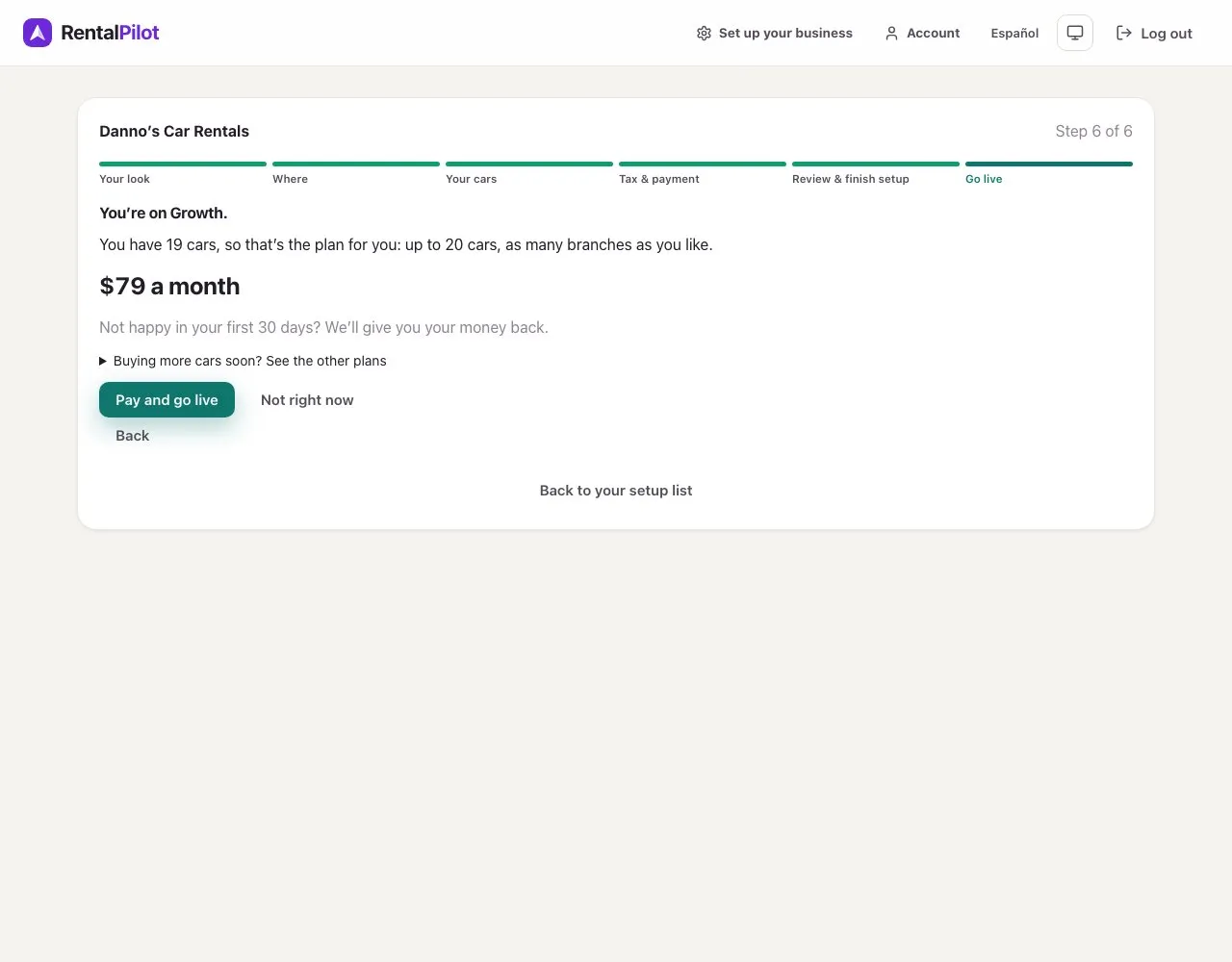
During setup, RentalPilot shows the smallest plan that fits your current active fleet. See the other plans lists the bigger ones, if you’re buying more cars soon. For a supported new plan, the owner can review a plan change in Account before adding more cars. If plan changes are unavailable for your agreement, contact support.
Set up first, then choose a plan
You can create your account and complete business setup before paying. A paid plan is required before you can use the day-to-day admin or publish your booking site. If plan checkout is unavailable, you can keep configuring and previewing; that message does not enable free operations.
Existing customers with a saved agreement keep the terms shown on that agreement.
If you leave or cancel plan checkout
If you return to RentalPilot after leaving or cancelling plan checkout, RentalPilot checks the exact checkout reference that opened from your plan screen and then reloads the current billing status. When the plan choices become available again, that exact checkout has been confirmed cancelled or expired with no plan payment received. Review the plans again before choosing one and starting a new checkout.
If the return has no checkout reference, or its reference belongs to an older attempt, RentalPilot does not clear the current attempt; it only reloads the latest status. Use Continue existing checkout when an open checkout is shown. If the result is pending or needs review, use Check billing status, keep the checkout reference and do not start another payment while RentalPilot reconciles that same attempt. Closing the checkout window or returning through its cancel link does not by itself prove that payment failed.
Renewal payments on new plans
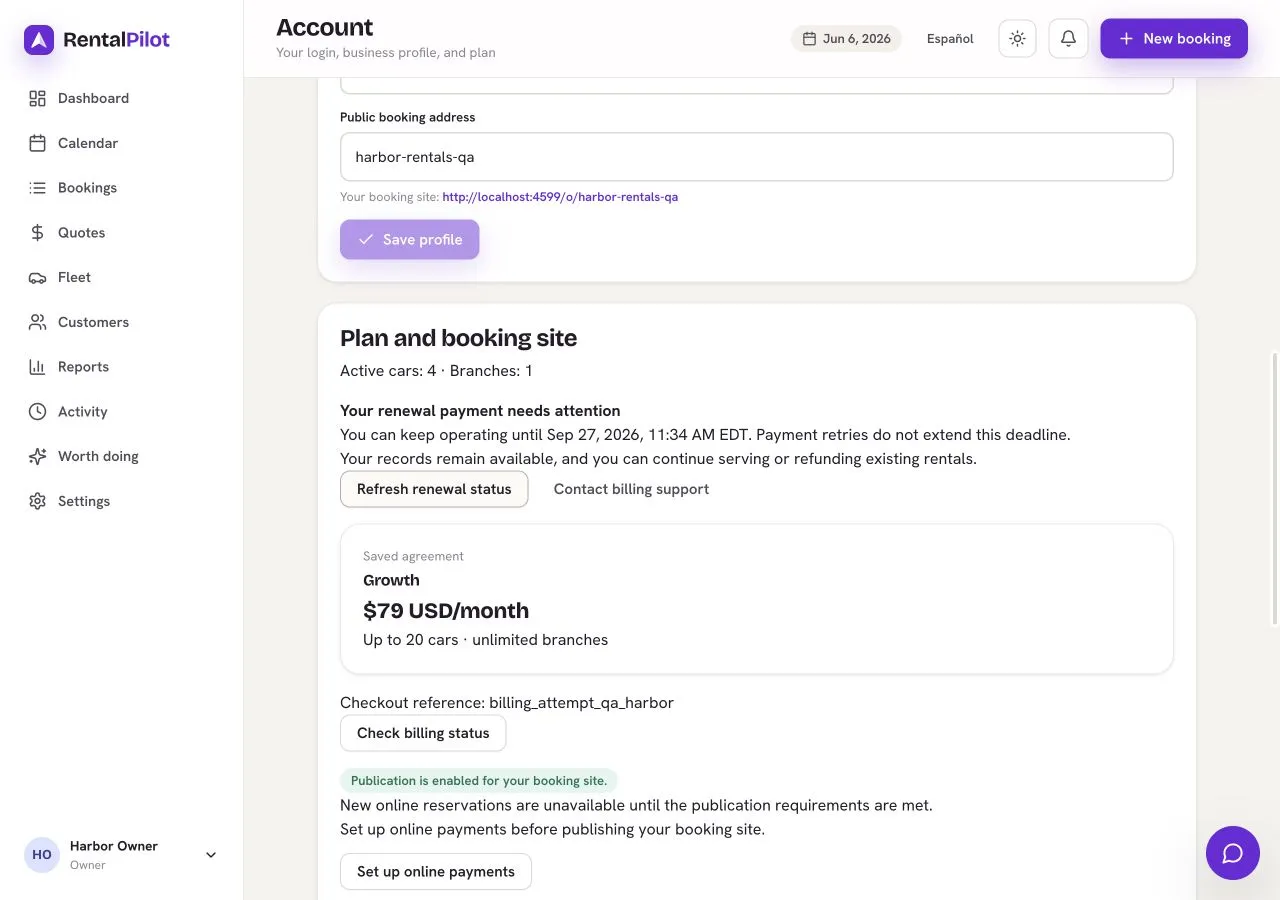
If a renewal payment fails after your first successful plan payment, you have seven days to resolve it while continuing normal operation. Account shows the deadline. It starts at the first failed renewal attempt; retries do not extend it. Your first payment must still succeed before you can begin operating.
After the deadline, new bookings are paused. Your records remain available and you can keep serving or refunding existing rentals. Use Refresh renewal status to check the latest confirmed billing state, or contact billing support. A pending payment or a status check does not mean payment succeeded.
Changing plans
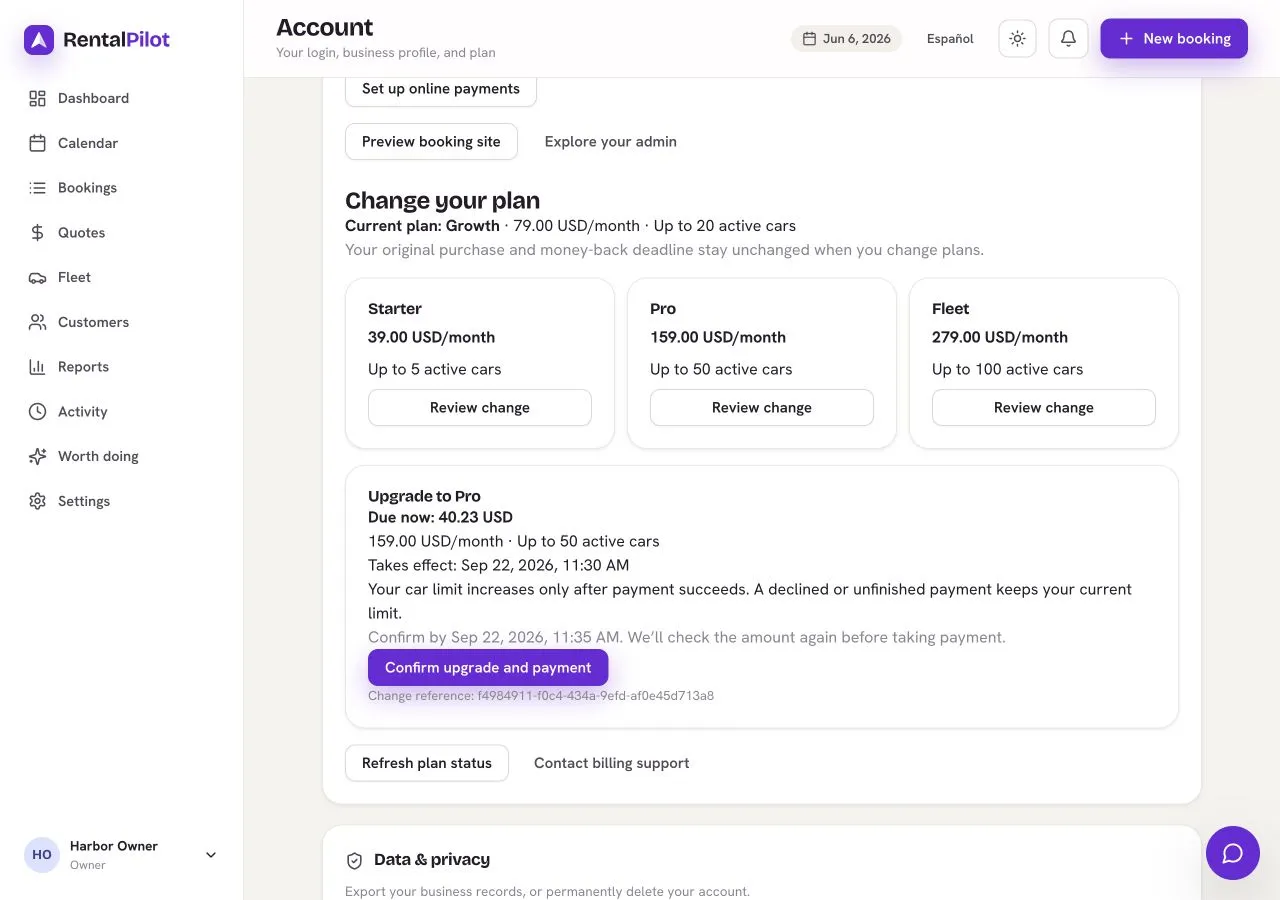
In Account, review the available plans and choose Review change. An upgrade preview shows the immediate prorated charge and the new monthly price and car limit. Confirm only after reviewing those amounts. If the quote expires or changes, review a fresh quote. The higher car limit starts only after payment is confirmed. If Stripe requests another payment step, complete the existing payment and refresh its status.
A downgrade takes effect at renewal. Your active fleet must already fit the lower plan. When you confirm, RentalPilot reserves that lower car limit immediately: your existing cars stay active, but adding, restoring or importing cars cannot exceed it. Choose Cancel scheduled downgrade before adding cars above the reserved limit, and wait for cancellation to be confirmed. If the renewal has already applied the lower plan, canceling is too late; the lower limit remains.
Keep the change reference if the result is pending or needs review. Do not start another payment to resolve an uncertain result. Changing plans does not change the original first-payment refund date or amount.
Requesting your first plan-payment refund
Contact support before 30 days have elapsed since your first successful plan payment to request a full refund of that payment. Support checks the original payment and confirms the outcome; a pending request is not a completed refund.
Your subscription is cancelled to prevent further renewals, and new bookings stop while the request is processed. You retain access to your records and can fulfill or refund existing rentals. This does not automatically refund your renters or delete your business data.
Support records when your request arrived, so processing it later does not change a timely request’s eligibility. If the payment provider later reports that a refund failed, support will investigate and recover that same refund; a successful initial response is not a guarantee that the money has reached your account.
If a plan change is still pending, give support its change reference so they can resolve it before processing the refund. Contact support within your refund window even if that change has not finished.
Deleting your account after a refund
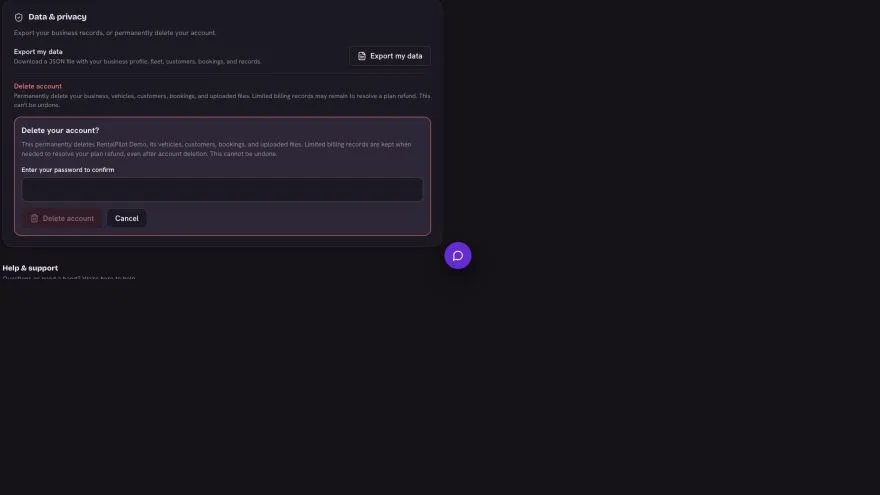
Account deletion remains separate and requires the owner’s password. If your Account page tells you to contact support instead of showing Delete account (accounts that sign in through WorkOS), email RentalPilot support from the owner’s address: support confirms the request and deletes the account for you, with the same checks and the same retention described here. Resolve any pending plan change or refund with support first. After a completed refund and confirmed subscription cancellation, deleting the business keeps a limited payment-recovery record: payment and refund references, amounts, dates, the support reference and processing history. It does not keep your business, renter, booking, vehicle or file contents in that record. Support can use it to resolve a later failure of the original refund without restoring your account or subscription.
Optional AI damage scanning
Photo capture during check-out and check-in is always available. AI damage analysis is a separate monthly add-on and is not included in the base plan:
- Starter add-on — $9/month: 100 scans
- Growth add-on — $19/month: 400 scans
- Pro add-on — $39/month: 1,000 scans
- Fleet add-on — $69/month: 2,000 scans
All four add-ons use the same AI capability. AI add-ons are coming soon and cannot be purchased in the app yet. Contact us to register interest.
Each result is a suggestion for your team to review. RentalPilot does not save a charge or change a damage record automatically from an AI result.
Questions about your agreement or plan? Contact us.