
Locations & pick-up points
Set up your branches, add the pick-up/drop-off points customers choose from, and understand how locations scope your fleet, bookings and reports.
A location in RentalPilot is a branch — somewhere you operate from, with its own fleet, business hours and tax. Within each location you add pick-up/drop-off points (an airport counter, a downtown office, a hotel desk) that customers choose from on your booking site.
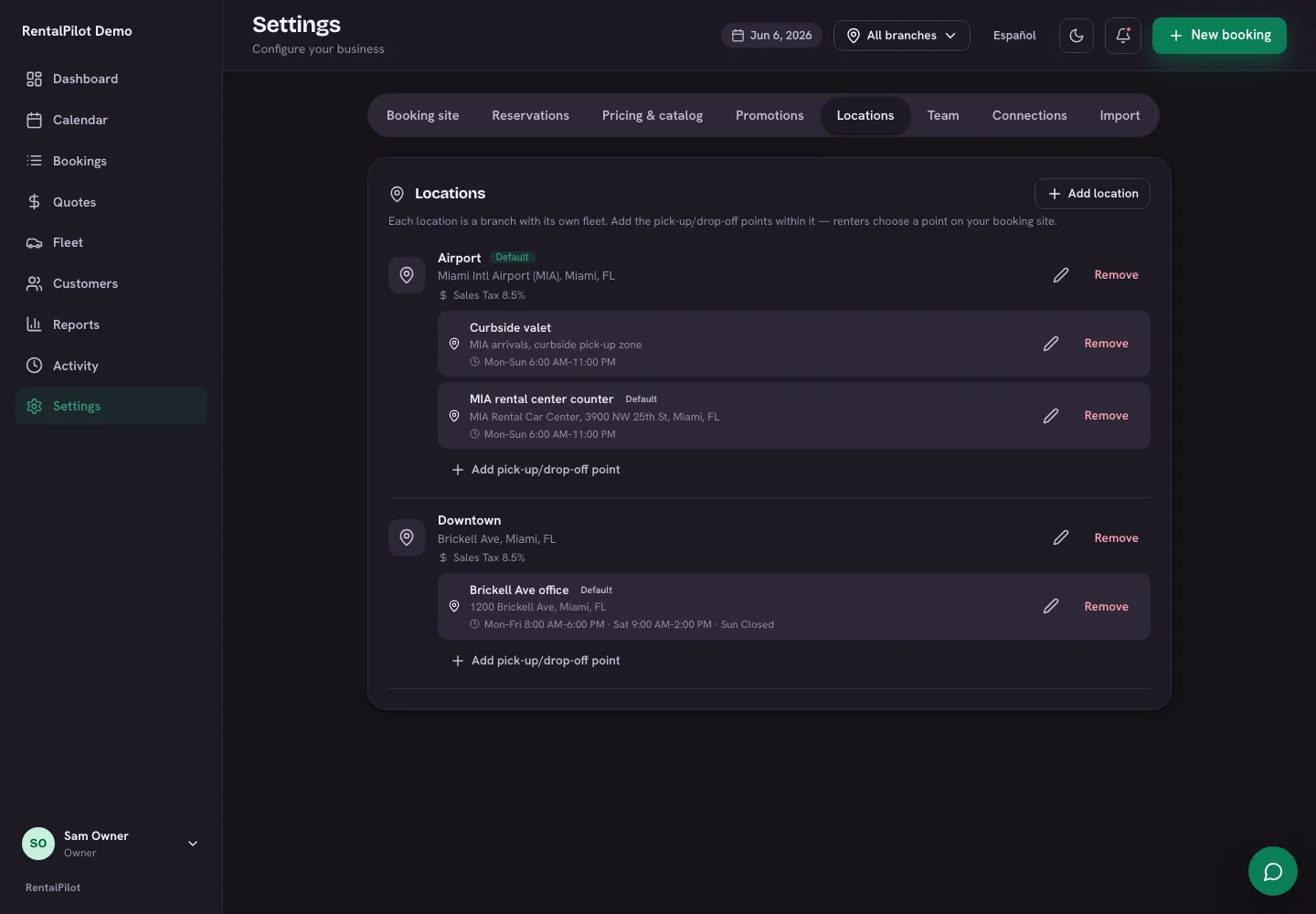
Add a location
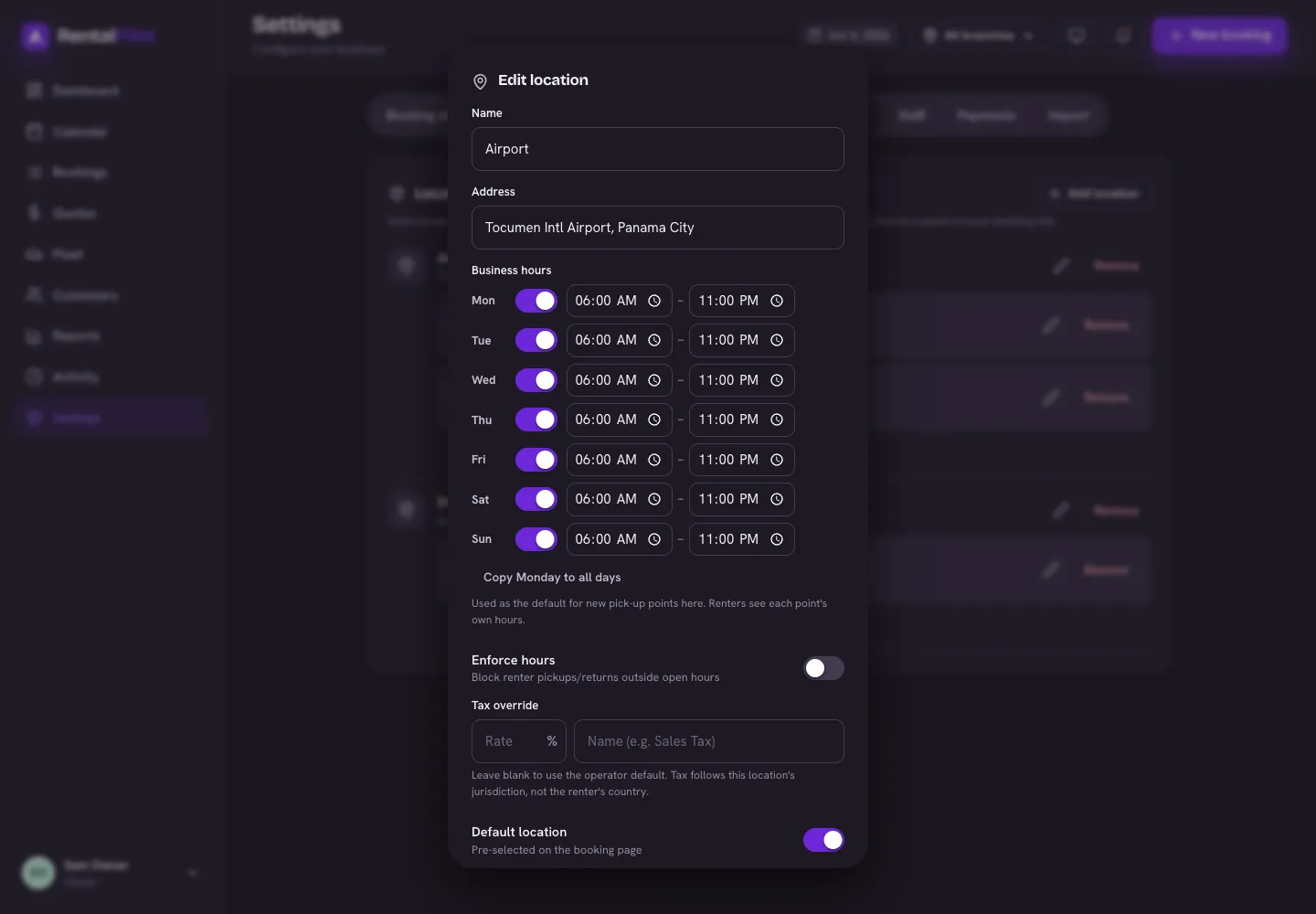
Open Settings → Locations and choose Add location:
- Name and address
- Business hours — per-day open/close times (these drive the pick-up/return times a customer can choose; turn on Enforce hours to block out-of-hours times)
- Tax override — leave blank to use your default rate, or set a different rate and name for this branch’s jurisdiction
- Default location — pre-selected on the booking page
Every new Starter, Growth, Pro and Fleet plan includes unlimited branches. Existing customers keep the branch allowance shown in their saved agreement. Every new location starts with one default pick-up point, which you can rename.
Add pick-up/drop-off points
Under each location, choose Add pick-up/drop-off point. A point has its own name, address and business hours. Points are not limited by your plan — add as many as you like within a location.
On your booking site, customers see all your points across every branch in one list. When a customer picks a point and continues, they see the cars belonging to the branch that point sits in.
One-way rentals: with one-way drop-off turned on (Settings → Reservations), a customer can return the car to a point in a different branch for a flat fee. Dropping at a different point in the same branch is free.
Vehicles: a branch, or “available everywhere”
On a vehicle’s page the Location field controls where it can be booked:
- Set a location → the car is only bookable at that branch.
- Leave it blank → the car is available at every branch — useful for a car you move between sites.
See one branch at a time
If you run more than one location, a location switcher appears at the top of the operator app. Pick a branch to scope your Dashboard, Fleet, Calendar and Reports to it, or choose All branches to see everything. Team members who are limited to certain branches only ever see those — see Staff, roles & location access.
Need a hand? Contact us.