
Book a rental by category
Follow the booking steps, understand category assignment and driver checks, and keep your booking reference.
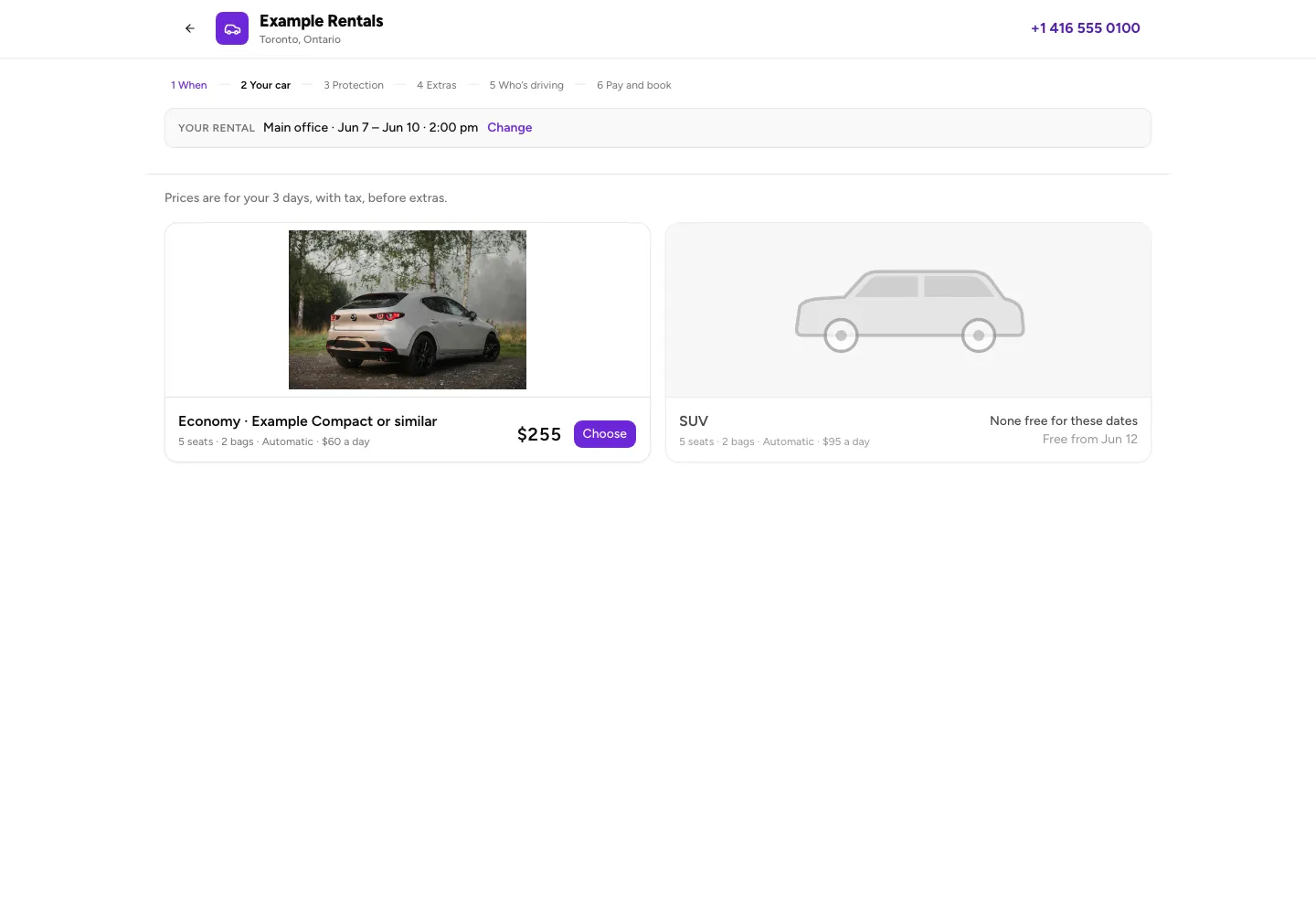
On a category booking site, you reserve a category such as Economy or SUV. The model and photo illustrate that category; the business assigns your specific car at pick-up. New RentalPilot business setups use category booking, with one base daily price per category.
The current booking screens are in English. These examples use a fictional business, example prices and a synthetic booking; no payment was processed.
Choose dates and a category
From the booking-site home, select Book a car. Choose your pick-up point, dates and times, and a different return point if offered. If asked about drivers under the displayed age, count everyone under that age who will drive, including the main driver. The trip totals shown after this include that young-driver fee.
Select Show me the cars. Each category shows its shared details, daily rate and total for your dates before optional extras. None free for these dates means that category cannot be chosen; try another category or dates. Select Choose on an available category.
Protection, extras and driver details
If the business offers protection, Do you want protection? shows its choices and the effect on the deposit hold. Anything to add? shows offered extras or delivery choices. These screens are skipped when there is nothing to offer. Review your choices and select Continue.
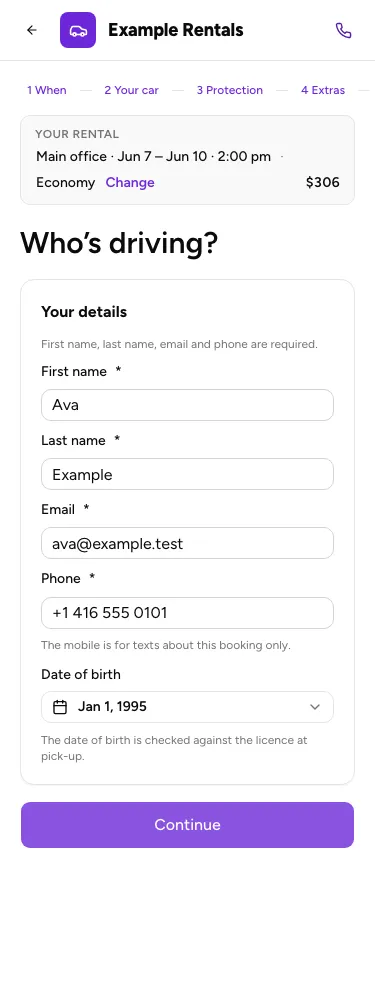
On Who’s driving?, enter the booking contact’s name, email, phone and, when requested, date of birth. For the new setup flow, that date is required and checked against the minimum age. If it reveals a young-driver fee that was not included earlier, the price updates before payment.
The online form does not collect a separate date of birth or licence for every additional driver. Give the correct young-driver count and bring every driver’s licence: the rental business verifies driver eligibility and the supplied details at the counter. Do not treat a completed online booking as approval for every driver.
Review, book and keep the reference
On Pay and book, check the category, trip, extras, taxes, cancellation rule, deposit hold, amount due now and any balance due later. Read the rental terms and tick the agreement when required. Offers are optional. Complete the booking using the payment option shown; if online payment is unavailable, contact the business directly.
The confirmation distinguishes You’re booked from Booking received when the business must approve it. Save the displayed booking reference and review the pick-up/return details. The reference stays with that booking even if the business later changes its name.
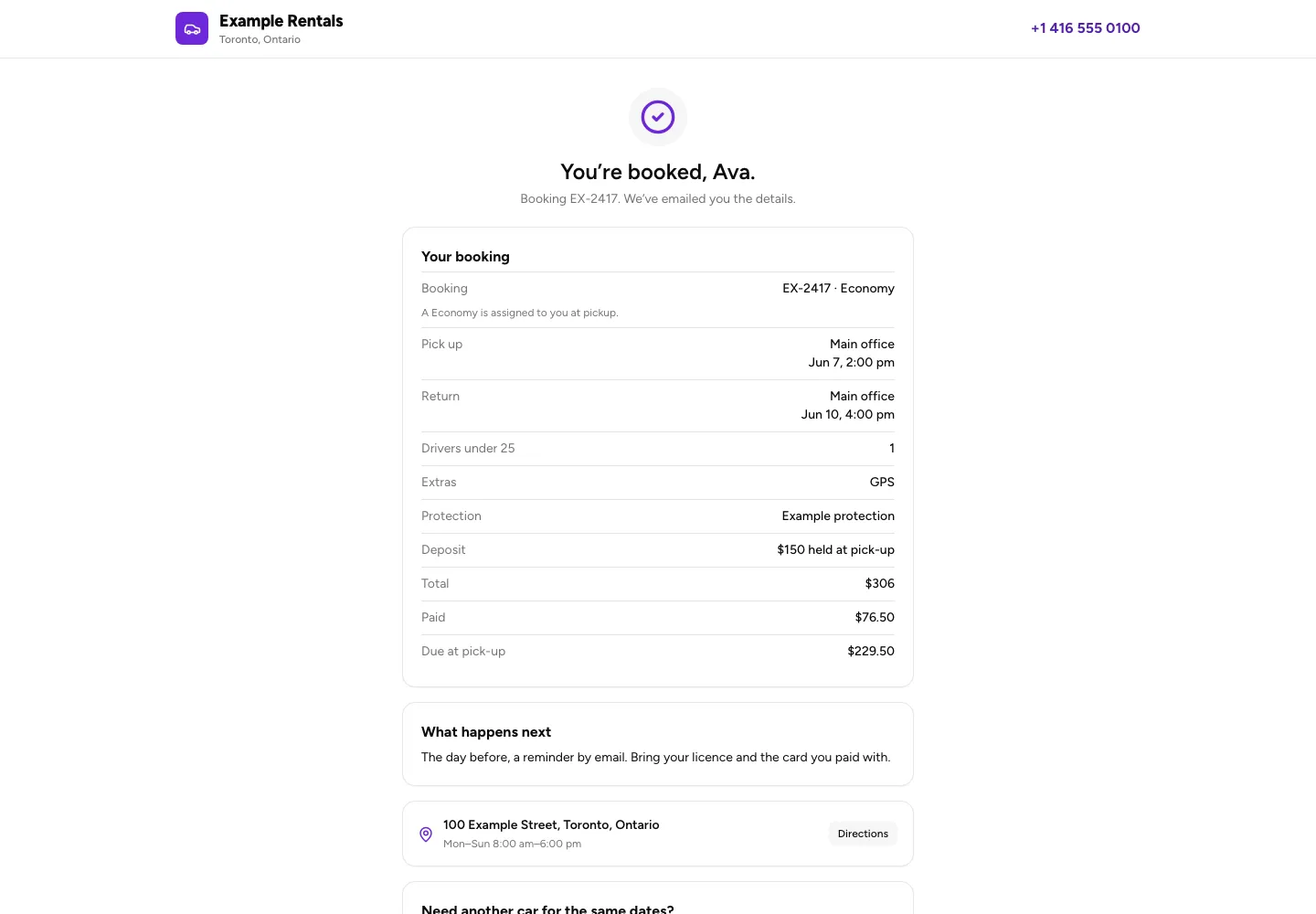
When booking emails are enabled, RentalPilot sends the booking details by email and can show an email-reminder message. Automatic SMS confirmation or reminders are not promised. Keep the on-screen reference even if you do not receive an email, and contact the business with it if you need help.
Use Change or cancel this booking for the booking’s management page, or Add to calendar to save the trip. Book another car starts another booking with the trip and contact details carried forward; review it as a separate reservation.
Operators can review the relevant settings in Online booking options.